

TL;DR
You spend hours on your resume, tailor it to the job, and hit submit. A week passes, then another, but you don’t hear anything back.
This happens to a lot of people, and most of the time it is not because they are underqualified. It is because their resume never made it to a human in the first place.
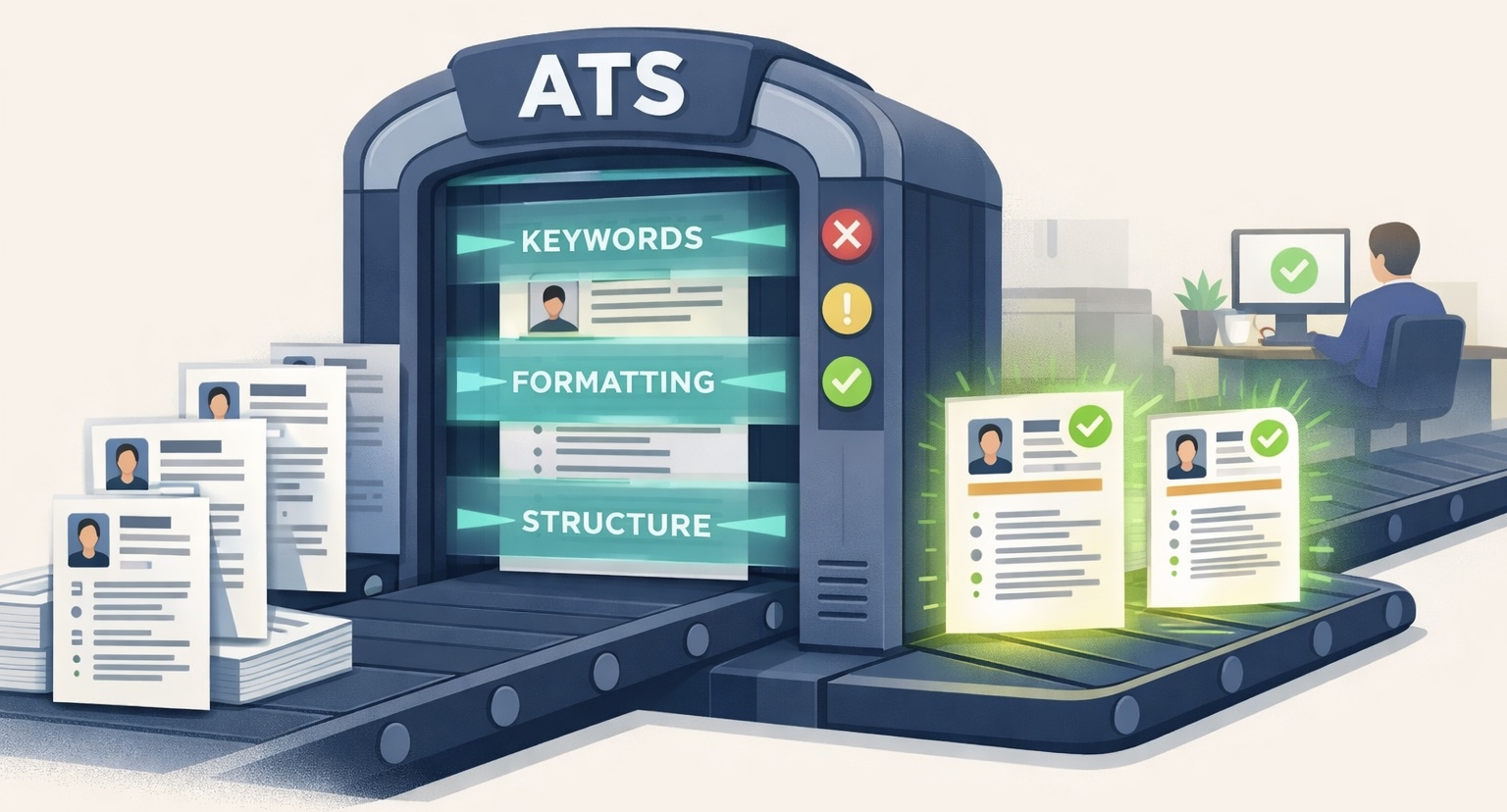
Most companies today use something called an Applicant Tracking System, or ATS, to rank or filter resumes before a recruiter sees them. If your resume does not meet what the system is looking for, it gets pushed down the list or even filtered out automatically.
In this guide, we explain exactly how ATS works, what it is looking for, and what you can do to make sure your resume gets through.
What Is an Applicant Tracking System (ATS)?
An Applicant Tracking System is software that companies use to manage and screen job applications. When you apply for a job online, your resume usually goes through an ATS before it ever reaches a recruiter.
The system scans your resume, pulls out relevant details, compares them with the job description, and assigns your application a score. High-scoring resumes move forward while low-scoring ones may be filtered out.
ATS software is used by the vast majority of medium and large companies today. In some cases, many smaller businesses use it too, especially when they are hiring through platforms like LinkedIn or Indeed.
So, if you want to get more interview calls, understanding how ATS works is critical for optimizing your applications..
Phase 1: The ATS Screening Phase
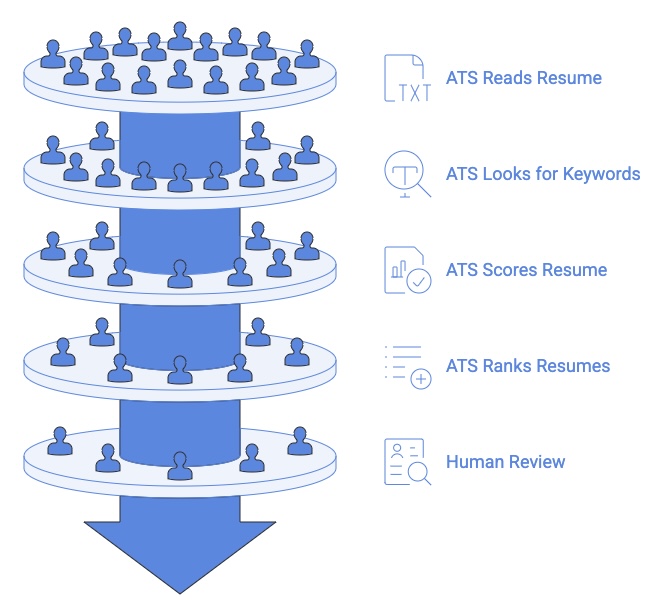
A lot of people imagine ATS as a simple keyword scanner. But this can’t be further from the truth. Here is what actually happens from the moment you hit submit to when a recruiter sees your name.
Step 1: You Submit Your Resume
When you apply for a job through an online portal, your resume is uploaded directly into the ATS. This happens on platforms like LinkedIn, Indeed, Workday, Greenhouse, and most company career pages.
At this point, the ATS logs basic information about your application, including the job you applied for, the date you applied, and the source of your application. Some systems even track how long you spent filling out the application.
Step 2: The ATS Reads Your Resume (Resume Parsing)
Once your resume is uploaded, the ATS parses it. Parsing means the ATS breaks your resume into sections and tries to identify what each piece of information is. It is looking for:
It then organizes all of this into a structured profile that the recruiter can view later.
This is where a lot of resumes run into trouble. The ATS reads from left to right and top to bottom, but unlike us humans, it struggles with complex layouts like tables, columns, graphics, and text boxes. So, if your resume doesn’t have the proper formatting, a lot of things can go wrong here.
That means, the cleaner and more straightforward your resume layout is, the more accurately the ATS can read and organize your information.
Step 3: The System Looks for Keywords
After parsing your resume, the ATS compares it against the job description. It looks for keywords- specific words and phrases that signal you have the skills and experience the employer is looking for.
However, keep in mind that not all keywords carry the same weight. The ATS determines how important each keyword is based on how often it appears in the job description. For example, a keyword that appears five times is more important than one that appears once.
It also pays attention to how you use those resume keywords. A keyword that appears in a full sentence within your work experience section scores higher than the same keyword listed alone in your skills section. Context matters.
This is why simply copying a list of keywords into your skills section is not enough. The ATS is looking for evidence that you have actually used those skills in a real context, not just that you know the word exists.
Step 4: Your Resume Gets Scored and Ranked
Once the ATS has read your resume and matched it against the job description, it gives your resume a score based on:
Your resume is then ranked against every other application for the same role. If 300 people applied and the recruiter only has time to review 20, the ATS puts the highest-scoring resumes at the top of the list.
This is the stage where a lot of well-qualified candidates get overlooked. Not because their experience is not good enough, but because their resume was not set up in a way that the ATS could score accurately. A candidate with slightly less experience but a better optimized resume will often rank higher.
Phase 2: The Human Screening Phase
Step 5: A Human Reviews the Shortlisted Resumes
Once the ATS has done its job, a recruiter finally gets involved. But by this point, the list has already been narrowed down significantly. The recruiter is typically only seeing the top-ranked applications.
When a recruiter does look at your resume, they are scanning it, usually in just a few seconds on the first pass. So even after getting through the ATS, your resume still needs to be clear, well-structured, and easy to read.
Step 6: The Recruiter Moves Candidates Forward
After reviewing the shortlisted resumes, the recruiter decides who to move forward with. This usually means scheduling a phone screen or sending an email to set up an interview.
At this stage, the ATS is also used to track where each candidate is in the hiring process:
Some ATS platforms also send automated rejection emails to candidates who were not shortlisted, which is why you sometimes get a rejection within minutes of applying. It is not a human rejecting you. It is the system.
What Makes a Resume ATS-Friendly?
Getting past the ATS comes down to two things: making sure the system can read your resume properly and making sure it scores well once it does.
The first thing the ATS does is try to read your resume. If it cannot do that accurately, nothing else matters. Here are the factors that affect how well an ATS can read your resume:
| Factor | Impact Level | Key Consideration |
|---|---|---|
| Icons & Graphics | High | Avoid all visual elements; ATS cannot read images |
| Headers & Footers | High | Most ATS ignore content in headers/footers; keep all info in main body |
| Section Headers | High | Use standard headers (Experience, Education, Skills) with clear separation |
| Tables & Columns | High | ATS reads left-to-right, top-to-bottom; multi-column layouts scramble content |
| File Format | Low | Use PDF, DOCX, or TXT and never image files (PNG, JPEG – pay attention when using design platforms like Canva or Figma) |
| Font Choice | Low | Standard fonts (Arial, Times New Roman, Calibri 10-12pt) are safe but don’t affect parsing |
| Special Characters | Low | Avoid unusual symbols, though they rarely impact overall parsing |
Once the ATS can read your resume, it scores it based on how well it matches the job description. Here is what affects your score:
Common Myths About ATS
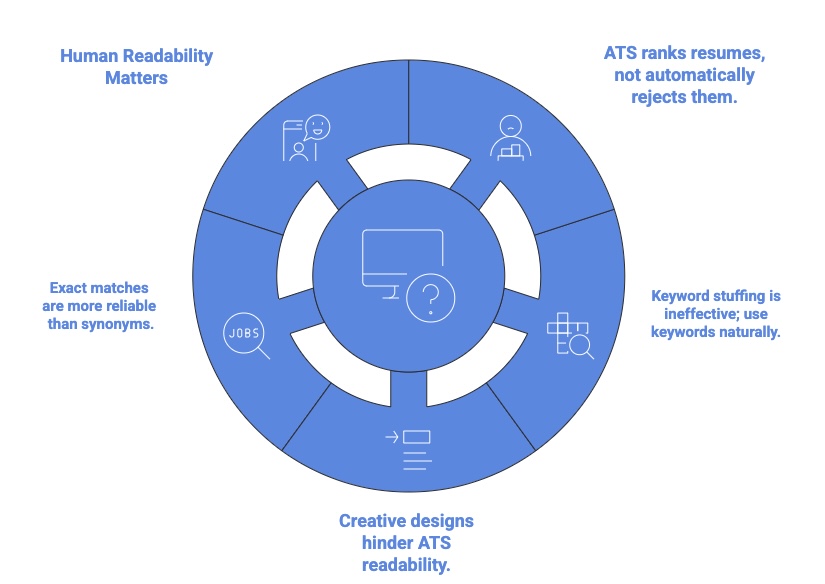
There is a lot of misinformation out there about ATS systems. Here are some of the most common things people get wrong–
Myth 1: ATS Automatically Rejects Resumes
ATS does not reject resumes on its own. It ranks them. The recruiter still makes the final call on who to contact.
What ATS does is determine which resumes make it to the top of the list and which ones get buried. If your resume scores low, it will not get seen, but it is the ranking that works against you, not an automatic rejection button.
Myth 2: You Need to Stuff Your Resume with Keywords
Keyword stuffing does not work and can actually hurt you. ATS systems are getting smarter, and some can flag resumes that look like they have been over-optimized.
More importantly, if your resume does make it to a recruiter, a wall of keywords with no substance will put them off immediately. So, you’ll need to use keywords naturally and in context.
Myth 3: A Creative Resume Will Help You Stand Out
A visually impressive resume might stand out to a human, but it can be a disaster for ATS. This is because ATS systems are built to read plain text, not interpret visual elements. This means design choices that impress humans can cause the system to misread or skip your information entirely.
Here is what causes the most problems:
Save the creative designs for industries where they are genuinely expected, like graphic design or creative roles.
Myth 4: ATS Only Looks for Exact Keyword Matches
Modern ATS systems use Natural Language Processing (NLP), which means they can recognize related terms and synonyms to some degree.
However, exact keyword matching is still the most reliable way to score well. Do not assume the system will connect “revenue growth” with “sales performance.” Use the exact terms from the job description where you can.
Myth 5: Once You are Past the ATS, You are in Good Shape
Getting past the ATS is just the first step. Once your resume reaches a recruiter, it still needs to make a strong impression in a few seconds.
A resume that is optimized for ATS but hard for a human to read is only halfway there.
The Future of ATS and What It Means for You
88% of employers believe they lose good candidates to ATS because resumes are simply not ATS-friendly.
ATS technology is moving fast, and the systems companies use today look very different from what they were even a few years ago. Here is what is changing and what it means for you as a job seeker:
The fundamentals of a good resume have not changed. What is changing is that both ATS systems and recruiters are getting better at telling the difference between a resume that just looks the part and one that is genuinely strong.
Beat the ATS and Land Your Dream Job With Upplai
Understanding how ATS works is one thing. Actually knowing how an ATS would score your resume for a specific job is another. That is the part most job seekers are left guessing on, and that is exactly what Upplai takes care of.
Upplai not only provides you with an ATS score, it also lists the critical keywords an ATS would scan for and highlights the ones that are missing from your resume. But Upplai doesn’t stop there. It optimizes your resume to automatically insert job specific keywords where applicable to boost your ATS score. If you need to make further edits to your resume, Upplai scores it against the job description in real time. You do not have to download it, edit it somewhere else, and re-upload it to check the updated score. You easily save 20+ minutes per job application, manually inserting keywords and re-checking your ATS score when using Upplai.
But automatic ATS optimization is just the starting point. Here is what makes Upplai different from other resume tools: