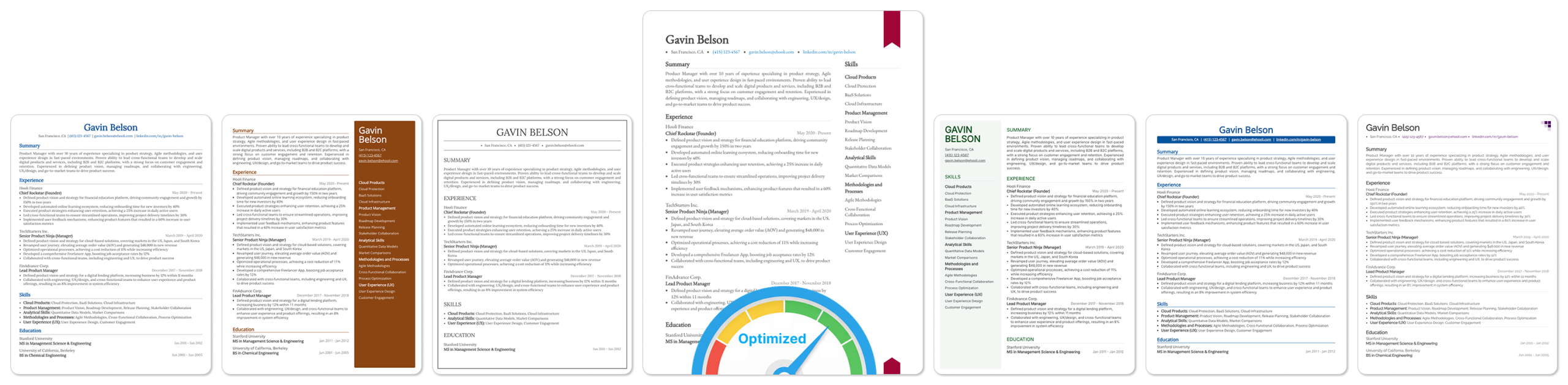


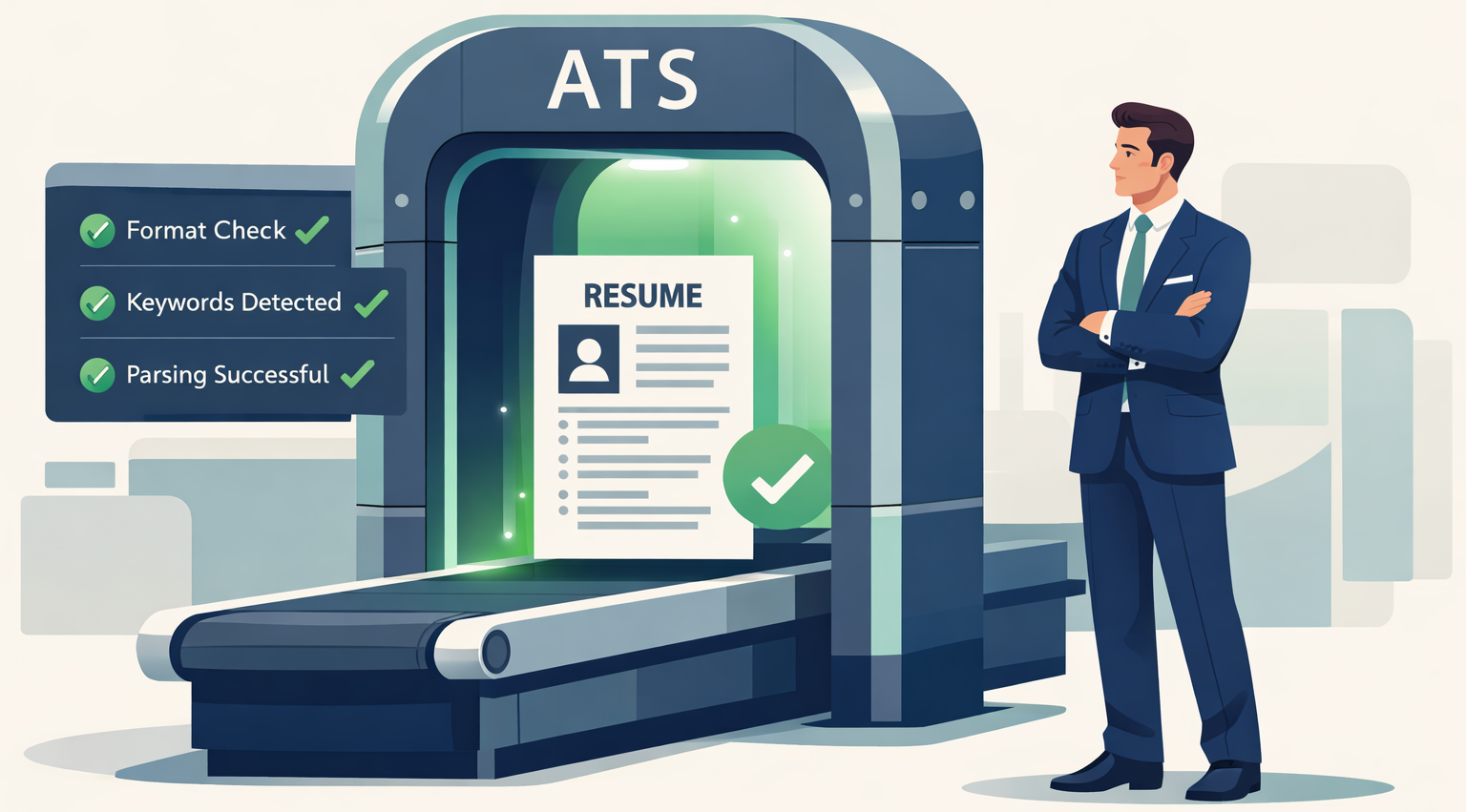
TL;DR
- To optimize your resume for ATS, use a single-column, reverse-chronological format with standard headers (Work Experience, Skills, Education). Avoid tables, graphics, columns, and headers/footers.
- Find high-frequency keywords in the job description and incorporate them naturally throughout your skills and experience sections, not just as standalone lists.
- Use standard job titles, include both acronyms and full terms (e.g., SEO and Search Engine Optimization), and quantify achievements with measurable results.
If you’re applying for jobs and not hearing back, your ATS resume score may be holding you back. Even small formatting or keyword issues can push your resume lower in the rankings, where recruiters never see it.
That’s why optimizing your resume for ATS is crucial if you want to land more interviews. In this guide, you’ll learn how ATS systems score resumes and exactly what to change to improve your ranking and get shortlisted.
What is an ATS, and How Do They Work?
An Applicant Tracking System (ATS) is software that automates resume screening by scanning, parsing, and ranking resumes against job descriptions. Employers use ATS to manage hundreds or thousands of applications.
The process has two phases:
- Parsing: The ATS extracts and organizes resume text into categories like work experience, education, and skills.
- Scoring: The system evaluates how well your resume matches the job description, calculating a score based on keyword presence, frequency, and context.
Understanding both phases is critical. For a comprehensive overview of resume best practices beyond ATS, see our complete resume writing guide.
What Makes a Resume ATS-Friendly?
An ATS-friendly resume is one that the system can successfully parse and evaluate. Many resumes fail at the parsing stage simply because of formatting issues. If the ATS can’t parse your content properly, your qualifications become irrelevant because the system will never see them.
The following factors determine whether your resume is ATS-friendly:
| Factor | Impact Level | Key Consideration |
|---|---|---|
| Icons & Graphics | High | Avoid all visual elements; ATS cannot read images |
| Headers & Footers | High | Most ATS ignore content in headers/footers; keep all info in main body |
| Tables & Columns | High | ATS reads left-to-right, top-to-bottom; multi-column layouts scramble content |
| Section Headers | High | Use standard headers (Experience, Education, Skills) with clear separation |
| File Format | Low | Use PDF, DOCX, or TXT and never image files (PNG, JPEG – pay attention when using design platforms like Canva or Figma) |
| Font Choice | Low | Standard fonts (Arial, Times New Roman, Calibri 10-12pt) are safe but don’t affect parsing |
| Special Characters | Low | Avoid unusual symbols, though they rarely impact overall parsing |
How ATS Calculates Your Resume Score
Modern ATS platforms use Natural Language Processing (NLP) to evaluate resumes, but keyword matching remains the core mechanism. Your ATS resume score is calculated using three key factors:
1. Keyword Importance: Not all keywords matter equally. ATS determines importance based on how frequently each term appears in the job description. A keyword appearing 5 times weighs more heavily than one appearing once.
2. Keyword Frequency: The ATS compares how often keywords appear in your resume versus the job description. If a job description mentions “project management” 10 times but your resume mentions it once, you’ll score lower than candidates who use it more frequently.
3. Keyword Context: Keywords used in full sentences score higher than standalone keywords in lists. For example, “Led cross-functional teams using Agile methodology” scores better than simply listing “Agile” in a skills section.
For a detailed technical breakdown of ATS scoring algorithms, including the exact formula, see our complete guide on how ATS scoring works.
What Is a Good ATS Resume Score?
A good ATS resume score typically falls between 70 and 90 out of 100, with scores above 80 significantly increasing your chances of reaching recruiters. However, thresholds vary by company and role.
How to Optimize a Resume for ATS?
Optimizing your resume for ATS requires two key focuses: making it readable for the system (formatting) and maximizing your score (keywords). These 8 steps are organized to address both the parsing phase and the scoring phase of ATS evaluation.
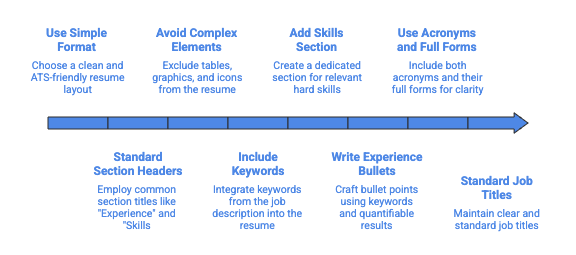
01. Use a Simple, ATS-Friendly Resume Format
The foundation of ATS optimization starts with format selection. Choose a clean, single-column layout that most ATS software can parse without errors.
Best practices for ATS-friendly resume formatting:
- Use a single-column layout with clear section divisions
- Avoid text boxes, which ATS often cannot read
- Keep all content in the main body of the document (avoid headers and footers)
- Use standard margins (0.5 to 1 inch on all sides)
Which Resume Format Is Best?
The reverse-chronological format works best for ATS optimization. This format lists your most recent experience first and clearly separates each job with dates, company names, and titles. ATS software easily identifies and categorizes this structure.
Avoid functional or combination formats that group skills without a clear employment chronology. These formats confuse ATS parsing and make it difficult for the system to match your experience to job requirements.
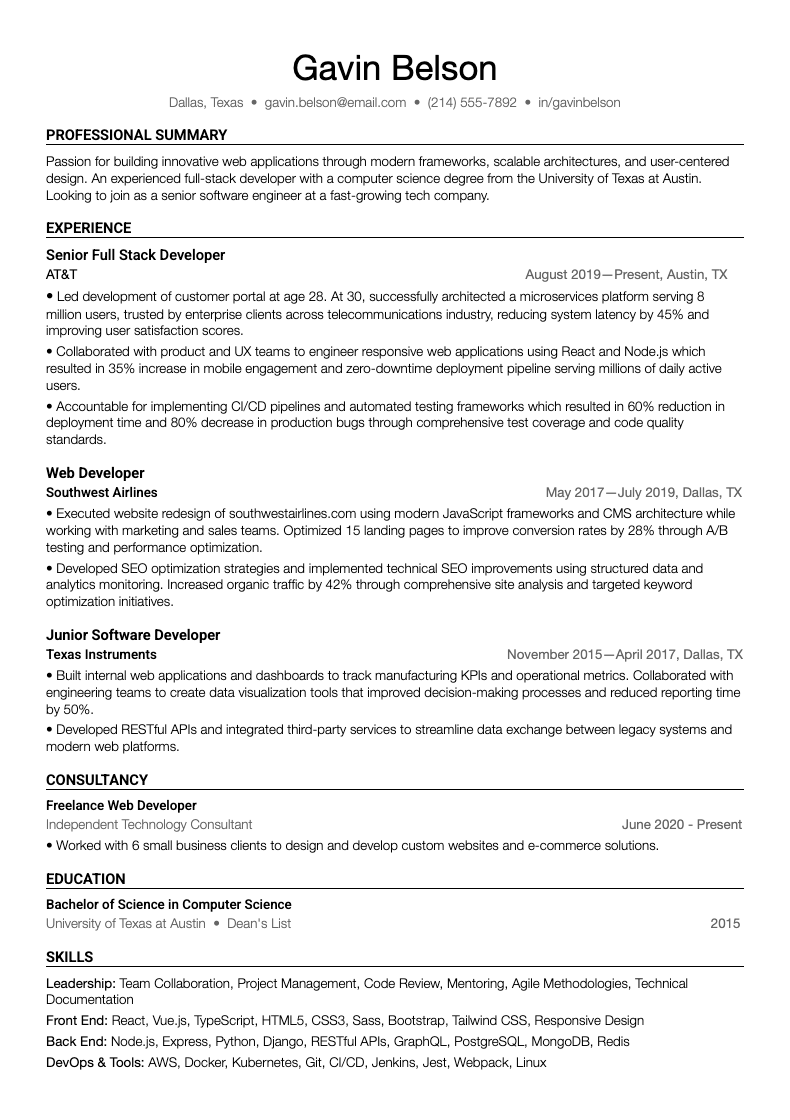
Here’s what a complete ATS-optimized template looks like:
See our full collection of ATS-friendly resume templates and examples for more formats.
Key features of this ATS-optimized structure:
- Single-column layout with no tables or graphics
- Standard section headers (Experience, Education, Skills)
- Clear job titles, company names, and dates
- Bullet points with keywords and quantified achievements
- Contact information in the main body (not in header/footer)
02. Use Standard Section Headers
ATS software categorizes your content based on section headers. Creative or unconventional headers prevent the system from properly organizing your information.
Standard section headers that ATS recognizes:
- Work Experience (or Professional Experience)
- Education
- Skills (or Technical Skills)
- Professional Summary (or Summary)
- Certifications
- Awards (or Honors and Awards)
Avoid creative alternatives like “My Story,” “Where I’ve Made an Impact,” or “Career Highlights.” The ATS won’t know where to categorize this content, potentially causing it to ignore entire sections.
Use consistent header formatting throughout. If you bold your first section header, bold all section headers. This visual consistency helps ATS identify section boundaries.
03. Avoid Tables, Graphics, Headers, Footers, and Icons
Visual elements that enhance human readability often break ATS parsing. Remove these problematic elements to ensure the ATS can read your resume correctly.
Elements to eliminate:
- Headshots or profile pictures
- Charts, graphs, or infographics
- Tables and columns
- Skill bars or rating systems (visual representations of skill levels)
- Watermarks or background images
Where to put contact information:
Instead of placing your contact details in a document header, include them at the top of your resume’s main body:
John Smith
john.smith@email.com | (555) 123-4567 | LinkedIn.com/in/johnsmith | San Francisco, CA
This ensures the ATS captures your contact details. Many ATS platforms ignore content in document headers and footers entirely.
04. Identify and Include Keywords From the Job Description
Keywords are the most critical factor in your ATS resume score. You must identify relevant keywords from the job description and incorporate them naturally throughout your resume.
How to Find Keywords in a Job Description
Step 1: Start by analyzing the job description for specific terms related to:
- Hard skills (software, tools, methodologies)
- Soft skills (leadership, communication, collaboration)
- Job titles and role-specific terminology
- Industry-specific jargon
- Required certifications or qualifications
Step 2: Copy the entire job description into a document.
Step 3: Highlight terms that appear multiple times, as frequency indicates importance.
Step 4: Identify skill categories:
- Technical skills: Python, SQL, Salesforce, Adobe Creative Suite
- Methodologies: Agile, Six Sigma, GAAP
- Industry terms: ROI, KPIs, patient care, regulatory compliance
Step 5: Note both acronyms and full terms (SEO and Search Engine Optimization).
Step 6: Prioritize keywords from the “Requirements” or “Qualifications” section, as these carry the most weight.
Example job description analysis:
For a Product Manager role, high-priority keywords might include:
- Product roadmap (appears 4 times)
- Cross-functional teams (appears 3 times)
- User research (appears 3 times)
- Data-driven decision making (appears 2 times)
- Agile methodology (appears 2 times)
These terms should appear in your resume with similar or higher frequency.
Important: Never stuff keywords unnaturally or repeat them excessively. ATS algorithms can detect keyword manipulation, and human recruiters will reject resumes that read awkwardly.
05. Add a Clear Skills Section With Relevant Hard Skills
A dedicated Skills section helps ATS quickly identify your technical qualifications. However, this section alone won’t maximize your ATS resume score, and you must also use these skills contextually in your experience bullets.
How to List Skills in a Resume for ATS Optimization
List hard skills in a simple, scannable format. Group related skills by category if you have many to include. Use the exact terminology from the job description.
Effective Skills section format:
Technical Skills
Languages (Proficient): Python, JavaScript, TypeScript, SQL
Languages (Familiar): Java, C++, Bash/Shell
Frameworks & Tools: React, Node.js, Django, PostgreSQL, Git, Docker
Specializations: RESTful API Design, Database Optimization, Test-Driven Development
Skills section best practices:
- List 8-15 relevant hard skills maximum
- Use commas or bullet points as both work for ATS
- Include both tools and methodologies
- Match the exact terminology from the job description
- Update this section for each application
What not to include:
- Soft skills like “excellent communicator” or “team player”
- Outdated skills irrelevant to the target role
- Every skill you’ve ever learned (focus on job-relevant ones)
- Proficiency levels like ‘expert’ or ‘intermediate’ (unless the job description specifically uses these exact terms and requests them)
Remember that the skills listed here should also appear in context within your experience bullets. The combination of standalone skills and contextual usage maximizes your ATS resume score.
For more detailed guidance on identifying which skills to include, common mistakes to avoid, and industry-specific examples, see our complete guide on how to list skills on a resume.
06. Write Experience Bullets Using Keywords and Results
Your experience and summary sections carry the most weight in ATS scoring. Each bullet point should incorporate relevant keywords while demonstrating concrete achievements with measurable results.
For ATS optimization: Focus on incorporating job-specific keywords naturally within your experience bullets. The more relevant keywords you include, the higher your ATS score.
For human recruiters: Use the action verb + task + result formula to make your achievements clear and compelling. While this structure doesn’t directly impact ATS scoring, it ensures your resume appeals to both systems and people.
Experience bullet formula:
Action Verb + Task/Project + Keyword + Quantifiable Result
Example transformation:
❌ Before (generic):
“Managed product launches and worked with teams.”
✅ After (ATS-optimized):
“Led cross-functional product launches for 3 SaaS features, increasing user adoption by 40% within 6 months through data-driven roadmap prioritization.”
The optimized version includes keywords (cross-functional, product launches, SaaS, data-driven, roadmap) and quantifiable results (3 features, 40% increase, 6 months).
More examples across different roles:
Marketing Manager:
“Executed SEO optimization strategies across 50+ blog posts, improving organic search rankings by 75% and generating 10,000 monthly qualified leads.”
Sales Representative:
“Built client relationships in the enterprise software sector, exceeding quarterly sales targets by 30% ($2M revenue) through consultative selling and CRM pipeline management.”
Registered Nurse:
“Provided patient care for 25+ patients daily in an acute care setting, reducing medication errors by 60% through systematic chart review protocols.”
Software Engineer:
“Developed RESTful APIs using Python and Django framework, reducing backend response time by 45% and supporting 1M+ daily active users.”
For detailed strategies on structuring your experience section with achievement-focused bullets, read our guide to crafting a winning resume work experience section.
07. Use Both Acronym and Unabbreviated Form
ATS systems may search for either the full term or the acronym, depending on how the recruiter configured the search. Including both versions ensures you’re covered regardless of the search method.
How to incorporate both versions:
Option 1 – First mention:
Write out the full term followed by the acronym in parentheses on first use, then use either version throughout the rest of your resume.
Example:
“Implemented Search Engine Optimization (SEO) strategies to improve organic traffic. SEO initiatives increased website rankings by 60%.”
Option 2 – Natural usage:
Use the full term in some bullets and the acronym in others, depending on what sounds more natural.
Example bullet 1:
“Managed customer relationship management database with 10,000+ contacts”
Example bullet 2:
“Configured Salesforce CRM to automate lead scoring workflows.”
Common terms to include both ways:
- Search Engine Optimization (SEO)
- Customer Relationship Management (CRM)
- Key Performance Indicators (KPIs)
- Return on Investment (ROI)
- Applicant Tracking System (ATS)
- Software as a Service (SaaS)
- Application Programming Interface (API)
This strategy increases your keyword coverage without awkward repetition or appearing to stuff keywords.
08. Keep Job Titles Standard and Clear
Creative job titles may reflect your company’s culture but confuse ATS software. Use standard industry titles that match common search terms recruiters use.
If your official title is non-standard, you have two options:
Option 1 – Use standard equivalent:
Replace your creative title with the industry-standard equivalent that accurately describes your role.
- Creative title: “Marketing Ninja”
- Standard title: “Digital Marketing Specialist”
Option 2 – Show both versions:
List the standard title followed by your official title in parentheses.
Example: “Product Manager (Growth Hacker)”
Common non-standard titles and their standard equivalents:
| Non-Standard Title | Standard Equivalent |
|---|---|
| Sales Rockstar | Sales Representative |
| Customer Happiness Hero | Customer Success Manager |
| Code Wizard | Software Engineer |
| People Operations Guru | HR Manager |
| Growth Hacker | Marketing Manager or Product Manager |
Standard titles improve your chances of appearing in recruiter searches while remaining honest about your actual role.
How to Check If My Resume Is ATS-Friendly
Testing your resume before submitting applications prevents automatic rejection due to formatting issues. Several methods help you verify ATS compatibility and identify areas for improvement.
Manual Testing Methods
Plain text conversion test:
Copy your entire resume and paste it into a plain text editor like Notepad or TextEdit. Review how the content appears. If sections are out of order or the text is jumbled, an ATS will struggle to parse your resume correctly.
File format verification:
Confirm you’re using .docx or PDF format. Open your file and check that all content appears in the main document body, not in headers, footers, or text boxes.
Keyword self-audit:
Compare your resume against the job description. Highlight keywords from the posting and check if they appear in your resume. If important terms are missing, your ATS resume score will suffer.
Proofreading checklist:
What Tools Can Help Me Optimize My Resume for ATS?
Evaluating your resume ATS score manually can be difficult. You may miss important formatting issues or keywords, which lowers your chances of landing interviews. You can also use ChatGPT for resume optimization with the right prompts, though dedicated ATS tools like Upplai provide more accurate scoring and help streamline the process.
Upplai offers comprehensive ATS optimization with real-time scoring. Upload your resume and job description to receive instant feedback on:
- ATS readability and parsing issues: See exactly which formatting elements (tables, graphics, headers) are blocking the ATS from reading your resume correctly
- Keyword match analysis with importance rankings: Discover which keywords from the job description you’re missing and how much each keyword matters to your overall score
- Missing high-priority keywords: Get a prioritized list of terms you should add based on their frequency in the job description
- Specific formatting problems: Identify issues like text boxes, columns, or creative headers that confuse ATS parsing
- Real-time score updates: Watch your ATS score improve instantly as you make changes, helping you learn what works
The platform provides 200 free ATS scores monthly, allowing you to test multiple versions and refinements. You stay in complete control as you can review each suggested change with clear explanations, then accept or reject based on what feels authentic to your experience.
Make Your Resume ATS-Friendly With Upplai
Your ATS resume score directly impacts whether recruiters ever see your application. With companies receiving hundreds of applications per position, small formatting choices and keyword decisions determine whether your resume rises to the top of the stack or gets buried beneath more optimized candidates.
Upplai simplifies ATS optimization through automated analysis and real-time feedback. The platform identifies exactly which keywords you’re missing, shows formatting issues blocking ATS parsing, and provides specific suggestions to improve your score. You can test unlimited revisions and see your ATS resume score update instantly as you refine your content.